| Home | About Us | Site Map | Contact Us |

| Quick Menu Convert your master to DDP Convert your master to ISO Archive your master Upload your file to our FTP Convert your master to DDP Step 1: Open your disc in a conversion program. We recommend using Gear Pro. 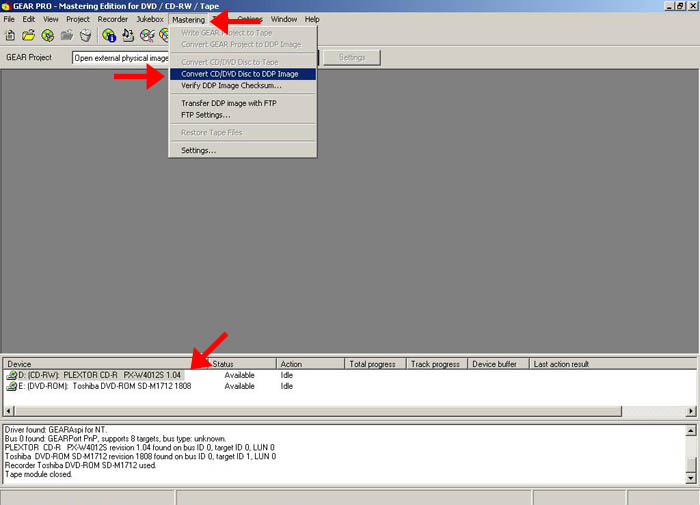 Step 2: Set the parameters and follow the on-screen instructions. 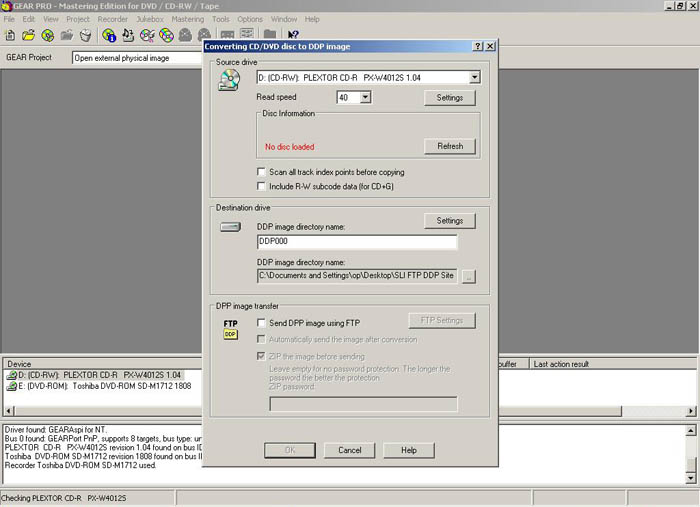 [ top ] Convert your master to ISO There are numerous ways to convert a disc to an ISO. We have provided two examples below. Example 1: You can use Gear Pro to convert your disc to an ISO. 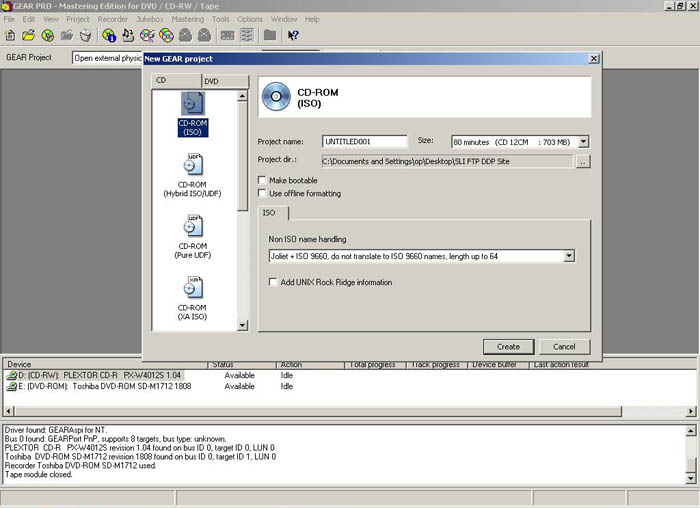 Example 2: If you do not have Gear Pro we recommend either Nero or Roxio. 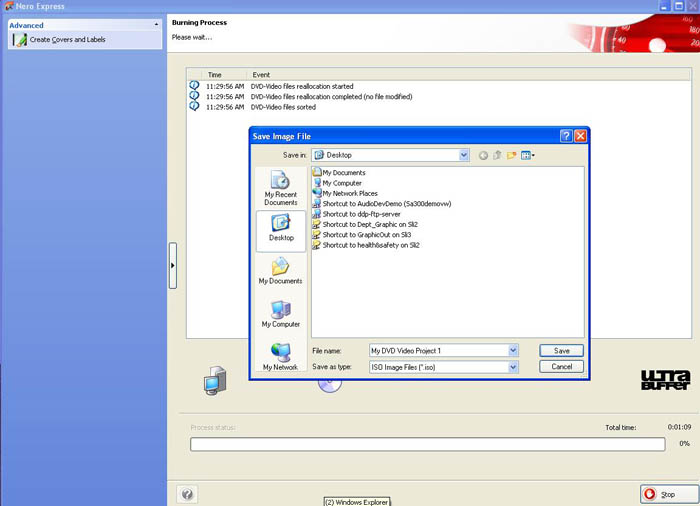 [ top ] Archive your master In order to upload your DDP or ISO file you must archive it as a .zip or .rar file. Step 1: Select your files to archive. 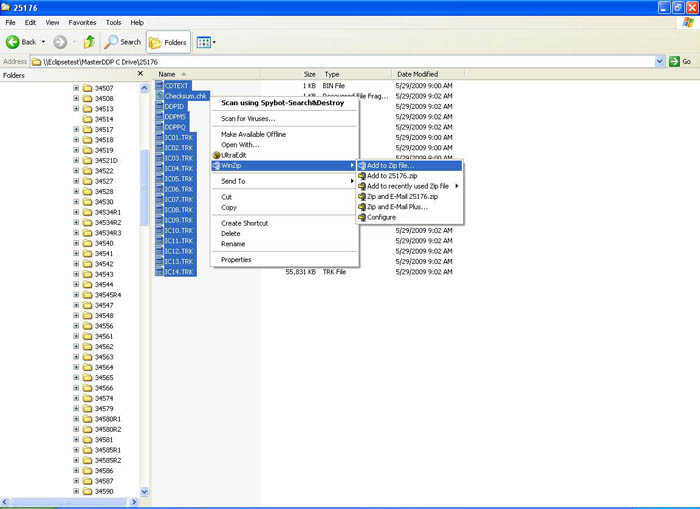 Step 2: Archive your files to a .zip or .rar file. Be sure to clearly mark 'master' in the file name. 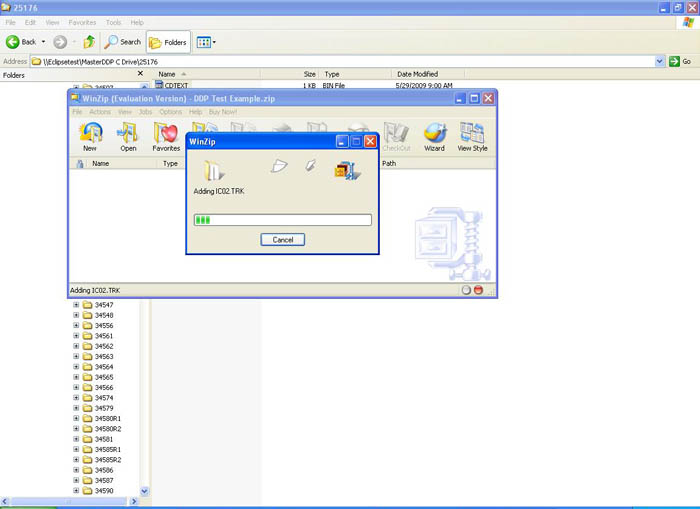 Step 3: Check the contents of the .zip or .rar file. 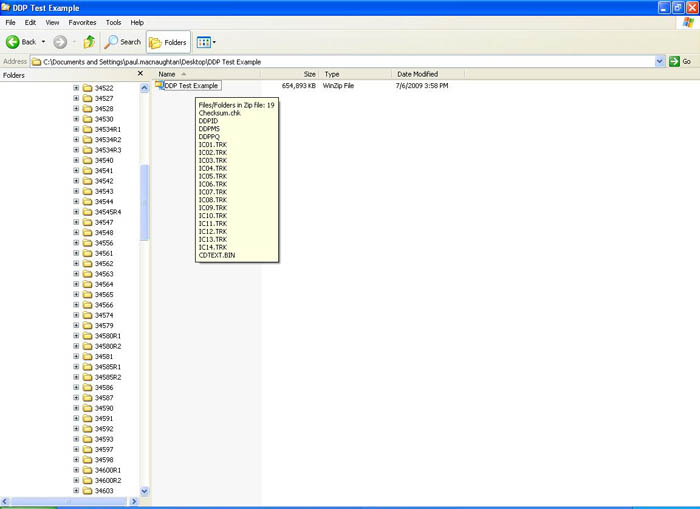 [ top ] Upload your file to our FTP Step 1: Create a site in a FTP program. 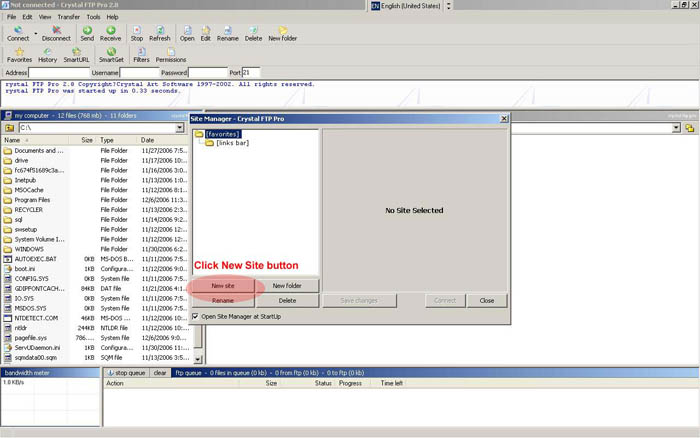 Step 2: Give the site a logical name. 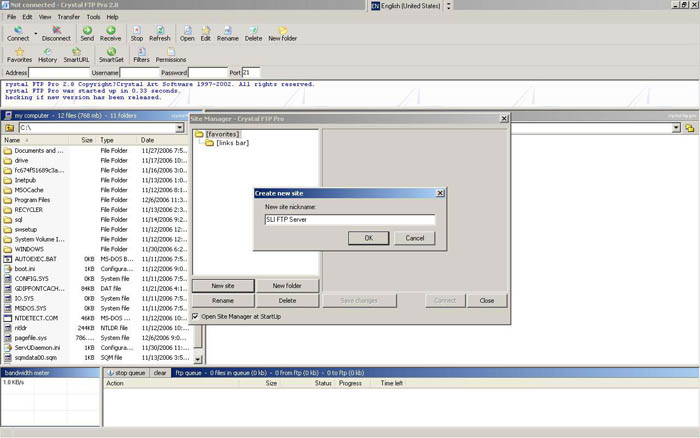 Step 3: Enter your log in information. 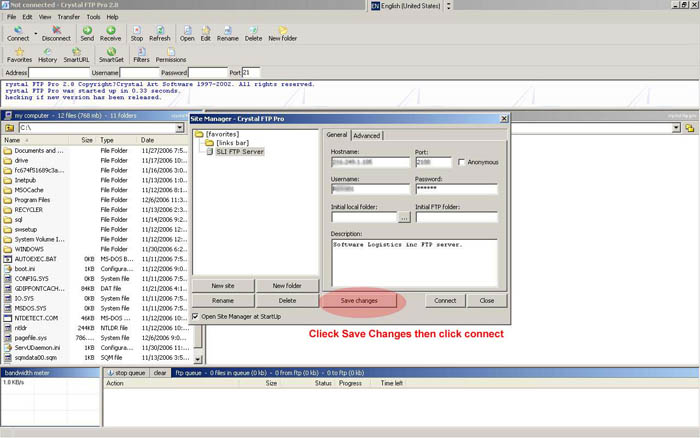 Step 4: Transfer your master files into your FTP space on the server. 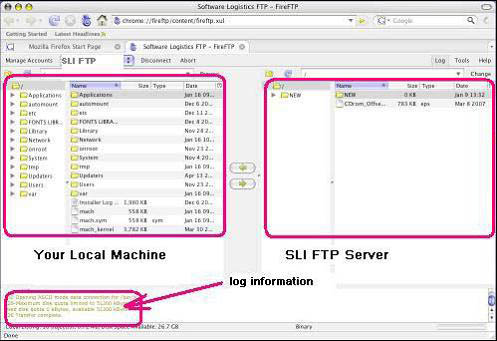 [ top ] |
200B Middlefield Road Toronto, Ontario M1S 4M6 Canada 1-888-216-2382 |
 |
Useful Links | FAQ | Glossary | Packaging | CD - DVD - Blu-ray | USB | Digital Printing | Offset Printing
Fulfillment | Customer Lounge | About Us | Contact Us | Site Map
Copyright 2014 CDMANUFACTURING.CA All Rights Reserved
|